
Best Smart Locks in Canada
These are the 10 electronic keyless locks Canadians are buying most on Amazon.ca right now, listed in best-seller order (checked October 30, 2026). Only products in stock on Amazon.ca at that time are included. They range from simple keypad deadbolts to Wi-Fi fingerprint locks. Each has a spec score out of 10, explained at the end of the page.
As an Amazon Associate, Shopazonic earns from qualifying purchases. Rankings follow Amazon.ca best-seller order at the date shown; check Amazon.ca for current price and availability.
Our top picks at a glance
Ranked by Amazon.ca best-seller order. Score = spec score out of 10. How we rank
-
1
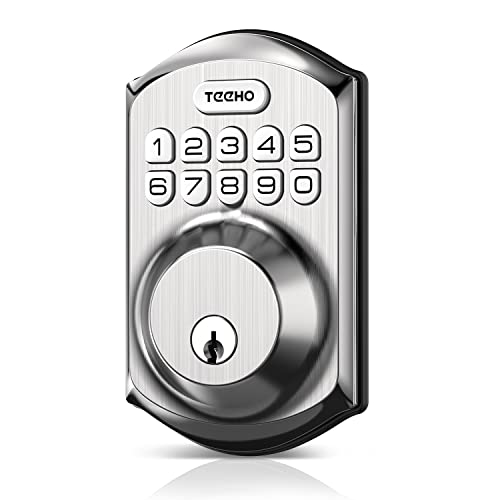 Most popular TEEHO TE001 Keypad Deadbolt
4.0/10 $59.99 at Amazon
Most popular TEEHO TE001 Keypad Deadbolt
4.0/10 $59.99 at Amazon -
2
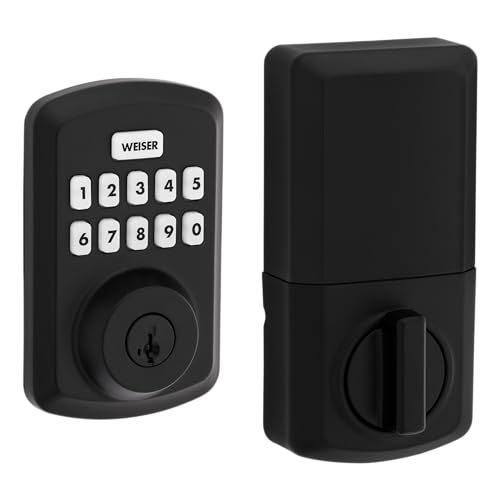 Canadian brand pick Weiser Powerbolt 3 Keypad Deadbolt
4.0/10 $86.39 at Amazon
Canadian brand pick Weiser Powerbolt 3 Keypad Deadbolt
4.0/10 $86.39 at Amazon -
3
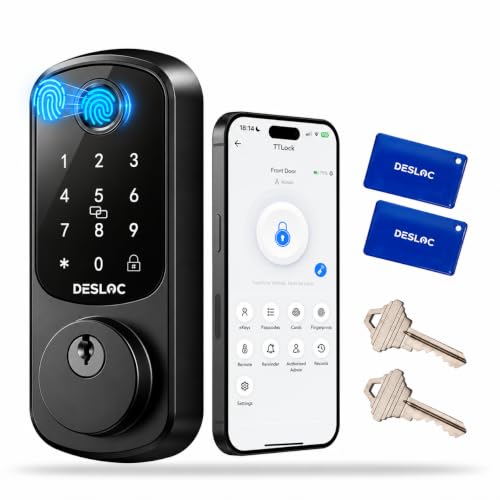 Most unlock options DESLOC B200 Fingerprint Smart Lock
6.5/10 $79.99 at Amazon
Most unlock options DESLOC B200 Fingerprint Smart Lock
6.5/10 $79.99 at Amazon -
4
 Most user codes Weiser Halo Wi-Fi Touchscreen Smart Lock
7.0/10 View on Amazon
Most user codes Weiser Halo Wi-Fi Touchscreen Smart Lock
7.0/10 View on Amazon -
5
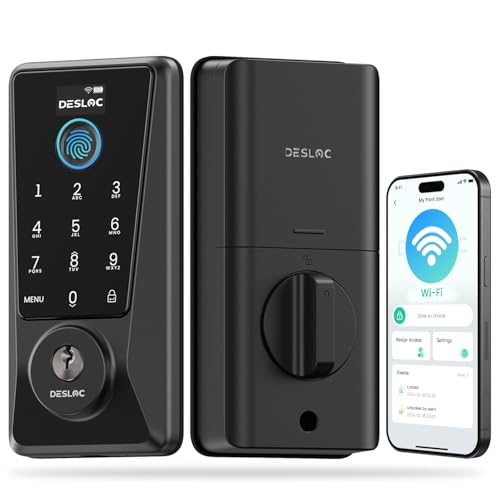 Best Wi-Fi fingerprint value DESLOC D110 Plus Wi-Fi Fingerprint Smart Lock
8.0/10 $105.99 at Amazon
Best Wi-Fi fingerprint value DESLOC D110 Plus Wi-Fi Fingerprint Smart Lock
8.0/10 $105.99 at Amazon
TEEHO
TEEHO TE001 Keypad Deadbolt
- Unlock: keypad or key
- Codes: 20 + one-time codes
- Security: ANSI Grade 3
- Auto-lock: 10–99 s
Amazon.ca's best-selling electronic deadbolt: a simple keypad lock with 20 user codes, one-time guest codes and auto-lock.
Pros
- Very affordable keyless entry
- One-time codes for guests
- Screwdriver-only install
Cons
- No app or remote access
- Plastic interior housing
Weiser
Weiser Powerbolt 3 Keypad Deadbolt
- Unlock: keypad or key
- Codes: 25 + one-time codes
- Security: ANSI/BHMA Grade 3, SmartKey
- Power: AA, ~12 months
A Weiser keypad deadbolt with motorised locking, auto-lock and SmartKey re-keying.
Pros
- SmartKey lets you re-key it yourself
- Motorised one-touch locking
- About a year per set of batteries
Cons
- No app or remote access
- Keypad only
DESLOC
DESLOC B200 Fingerprint Smart Lock
- Unlock: fingerprint, code, app, fob, key, voice
- Weather: IP54
- Power: 4 AA, USB-C backup
- Fits: 1-3/8" to 2" doors
A feature-packed fingerprint deadbolt with keypad, app, key fob and voice unlocking, rated for outdoor weather.
Pros
- Eight ways to unlock, including fingerprint
- USB-C emergency power
- Designed for Canadian door sizes
Cons
- Remote access needs the G2 gateway (sold separately)
- No security grade listed
Weiser
Weiser Halo Wi-Fi Touchscreen Smart Lock
- Unlock: touchscreen, app, voice, key
- Remote: built-in Wi-Fi
- Codes: up to 250
- Security: SmartKey re-keying
Weiser's Wi-Fi touchscreen deadbolt with remote locking from the Weiser app and room for 250 access codes.
Pros
- Built-in Wi-Fi, no hub
- Up to 250 permanent or temporary codes
- SmartKey re-keying
Cons
- No fingerprint reader
- Voice assistant support is Android-centric per the listing
DESLOC
DESLOC D110 Plus Wi-Fi Fingerprint Smart Lock
- Unlock: fingerprint, keypad, app, key and more (6 ways)
- Remote access: built-in Wi-Fi
- Security: BHMA Grade 3, IP54
- Display: battery, lock and Wi-Fi status
A DESLOC deadbolt with built-in Wi-Fi, a fast fingerprint reader and a status display, so you can manage it from anywhere.
Pros
- Built-in Wi-Fi, no hub needed
- Fast 0.2-second fingerprint unlock
- Scheduled guest codes for rentals
Cons
- Grade 3, not Grade 2
- Requires 2.4 GHz Wi-Fi for remote access
TEEHO
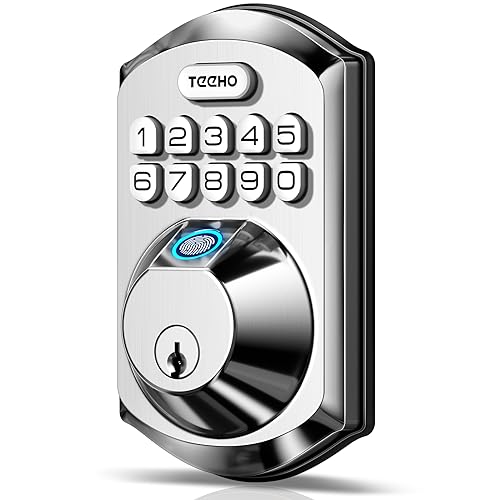
TEEHO TE002 Fingerprint Keypad Deadbolt
- Unlock: fingerprint, keypad or key
- Users: 20 codes / fingerprints
- Security: ANSI Grade 3
- Auto-lock: 10–99 s
A low-cost deadbolt that adds a fingerprint reader to TEEHO's popular keypad design.
Pros
- Fingerprint entry at a keypad-lock price
- One-time guest codes
- Screwdriver-only install
Cons
- No app or remote access
- Fits 2-1/8" (54 mm) bores only
DESLOC
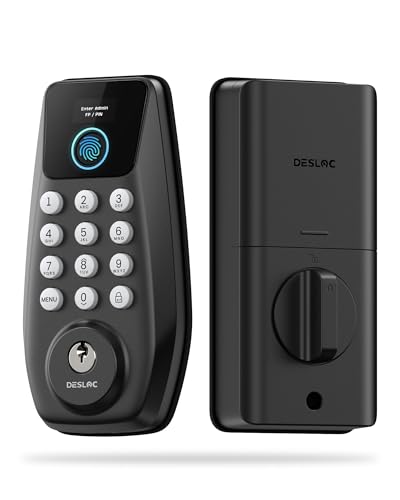
DESLOC C110 Fingerprint Smart Lock with Display
- Unlock: fingerprint, keypad or key
- Display: built-in screen for setup
- Security: BHMA Grade 3, IP54
- Battery: up to 12 months
A fingerprint and keypad deadbolt with a built-in screen, so you can add users and change settings right on the lock.
Pros
- Built-in display makes setup easy without an app
- Fast fingerprint unlock
- Up to a year per set of batteries
Cons
- No app or remote access
- No guest-code scheduling listed
Tapo
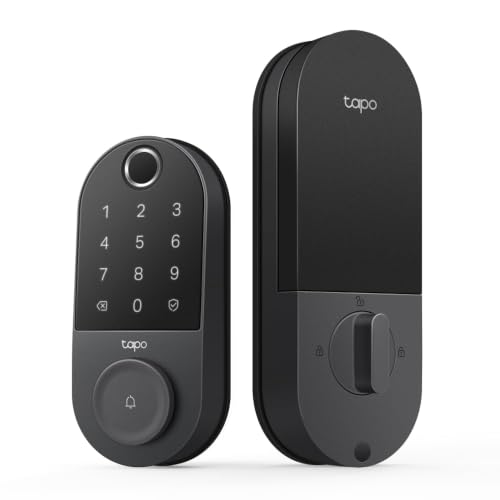
Tapo DL110 Wi-Fi Fingerprint Lock
- Unlock: fingerprint, keypad, app, voice, key
- Remote: built-in Wi-Fi
- Power: rechargeable 10,000 mAh, ~1 year
- Charging: USB-C
Tapo's Wi-Fi fingerprint deadbolt with six ways in and a rechargeable battery that lasts about a year.
Pros
- Rechargeable battery, about a year per charge
- Fast fingerprint reader, 100 prints
- Scheduled and one-time guest codes
Cons
- No security grade listed
- Rechargeable battery must be removed to charge
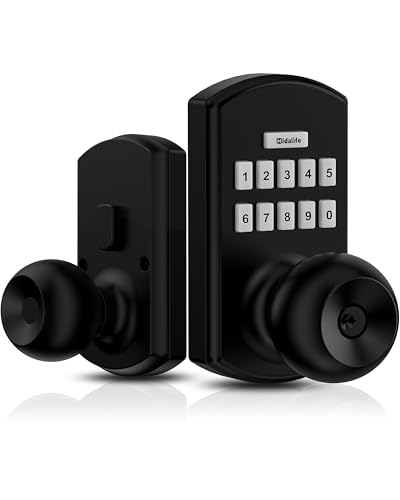
HIDALIFE
HIDALIFE Keypad Lock with Handle
- Unlock: keypad or key
- Security: ANSI Grade 3
- Power: 9 V battery, over a year
- Fits: standard 2-1/8" door holes
A simple keypad lever lock with auto-lock, for front, side or garage doors.
Pros
- Simple keypad lever for front or garage doors
- Auto-lock with adjustable delay
- Backlit keypad and silent mode
Cons
- No app or Wi-Fi
- Battery not included
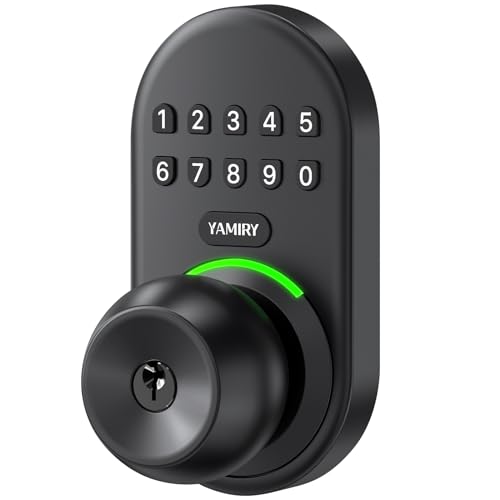
Yamiry
Yamiry Keypad Smart Door Knob Lock
- Unlock: keypad or key
- Codes: 20 + one-time codes
- Weather: IP54
- Auto-lock: 5–99 s
A keypad door knob with 20 user codes and one-time guest codes: an easy keyless upgrade for doors that use a knob.
Pros
- Keypad entry for doors with a knob, not a deadbolt
- One-time guest codes
- Screwdriver-only install in about 15 minutes
Cons
- No app or remote access
- No security grade listed
Buying guide
Keypad, fingerprint or Wi-Fi?
Keypad locks are simple and cheap. Fingerprint readers are fastest for family members. Wi-Fi locks let you check, lock and share access remotely, which is handy for guests, cleaners and rentals.
Security grade
ANSI/BHMA grades rate strength and durability: Grade 3 is standard residential, Grade 2 is tougher, Grade 1 is commercial. A reinforced strike plate with long screws matters as much as the lock itself.
Batteries and the cold
Smart locks keep their batteries on the warm, inside part of the door, so they cope well with Canadian winters. Look for a physical key or USB-C emergency power in case the batteries run flat.
Fit
Most models fit standard doors 1-3/8" to 1-3/4" thick with a 2-1/8" bore. Measure your door before ordering.
How we rank and score
Ranking follows popularity: products are listed in their Amazon.ca Best Sellers order for Deadbolts (checked October 30, 2026). Only products in stock on Amazon.ca at that time are included. Only electronic keyless locks are included; ordinary keyed deadbolts and duplicate bundles are left out.
The score out of 10 is based on published specifications, not a hands-on test. Five criteria are worth up to 2 points each:
- Unlock methods: keypad and key = 1, adds app or voice (or fingerprint without an app) = 1.5, fingerprint plus keypad plus app = 2
- Remote access: none = 0, Bluetooth or add-on hub = 1, built-in Wi-Fi = 2
- Security rating: not listed = 0.5, ANSI/BHMA Grade 3 = 1, Grade 2 = 1.5, Grade 1 = 2
- Power: AA batteries with key backup = 1, plus USB-C emergency power = 1.5, rechargeable with about a year per charge = 2
- Access management: fixed codes = 0.5, plus one-time or temporary codes = 1, plus app user management = 1.5, plus remote scheduling and activity history = 2
Frequently asked questions
Do smart locks work in Canadian winters?
Yes. The batteries sit in the interior housing, and most locks are rated for sub-zero outdoor temperatures. Keypads and fingerprint readers can be slower with frost or wet fingers, so keep a code or key as backup.
What happens if the batteries die?
You get low-battery warnings for weeks beforehand. Every lock here has a physical key, and some add USB-C emergency power on the outside.
Do I need Wi-Fi?
No. Keypad-only locks such as the TEEHO and Weiser Powerbolt work fully offline. You need Wi-Fi (or a hub) only for remote access and voice control.
Can I install a smart lock myself?
Usually, yes. Most replace a standard deadbolt with a screwdriver in 15 to 30 minutes, with no drilling if your door has standard holes.
More buying guides
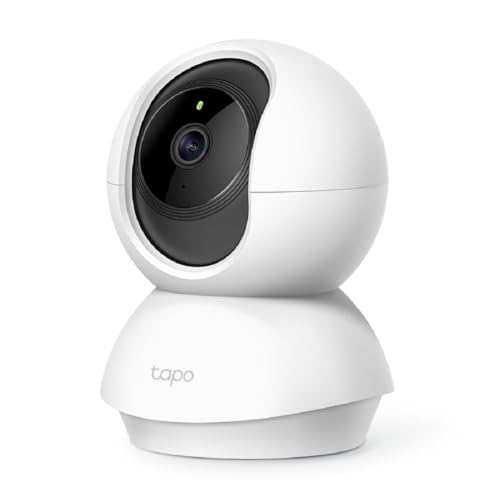
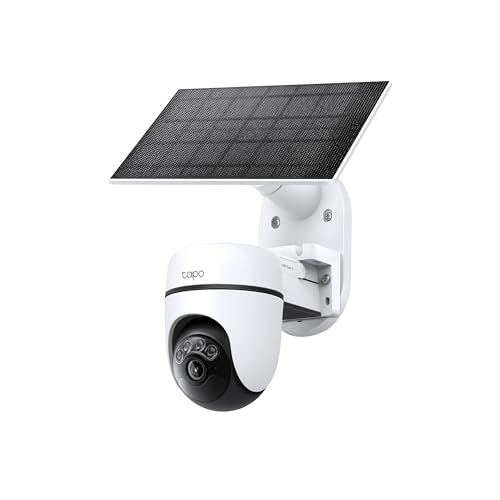
Best Security Cameras in Canada
- Tapo C200 Pan/Tilt Indoor Camera
- Tapo C610 Solar Pan/Tilt Outdoor Camera Kit
- blurams 2K Indoor Camera 2-Pack
Best Outdoor Security Cameras for Canadian Winters
- Tapo C610 Solar Pan/Tilt Outdoor Camera Kit
- DEKCO 2K Wi-Fi Outdoor Pan/Tilt Camera
- Google Nest Cam Outdoor (Wired, 2nd Gen), 2-Pack
Best Indoor Security Cameras for Canadian Homes
- Tapo C200 Pan/Tilt Indoor Camera
- blurams 2K Indoor Camera 2-Pack
- WYZE Bulb Cam 2K Light Bulb Security Camera